

Moviewala APK for Android
Movies & TV · Hindi, Bengali, English
फ़िल्में और सीरीज़, आपकी भाषा में
All movies and series in HD. Choose the audio language and quality. Continue where you stopped.
- 16.3 MBSize
- 0.3.8Version
- 7.0+Android
- NoneSign-up
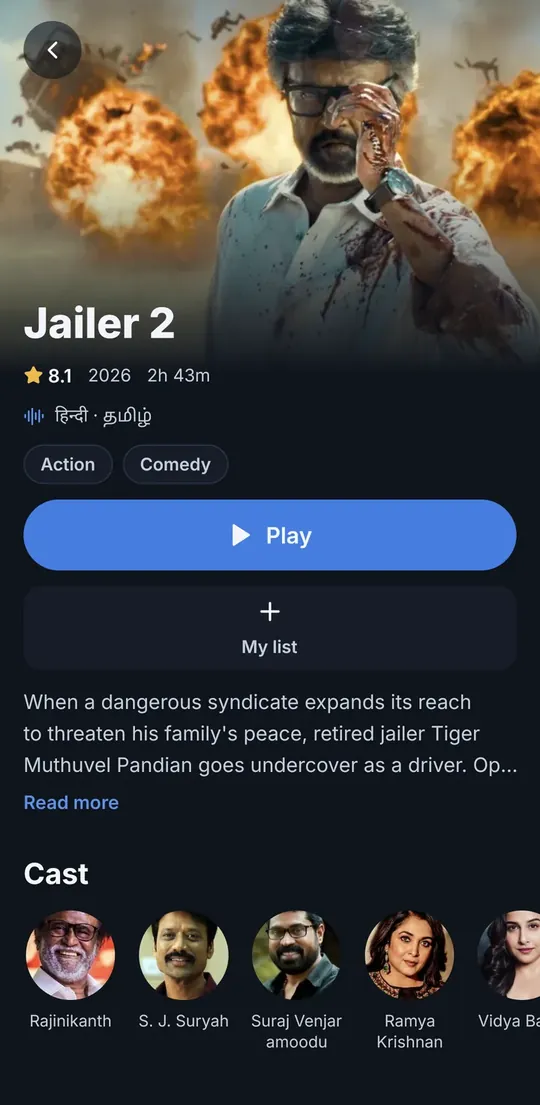
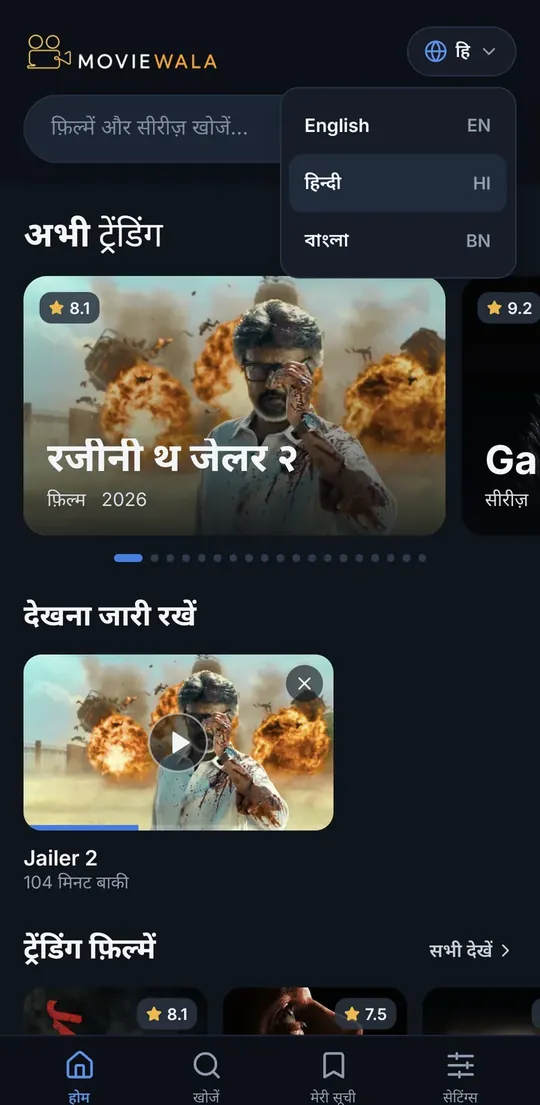
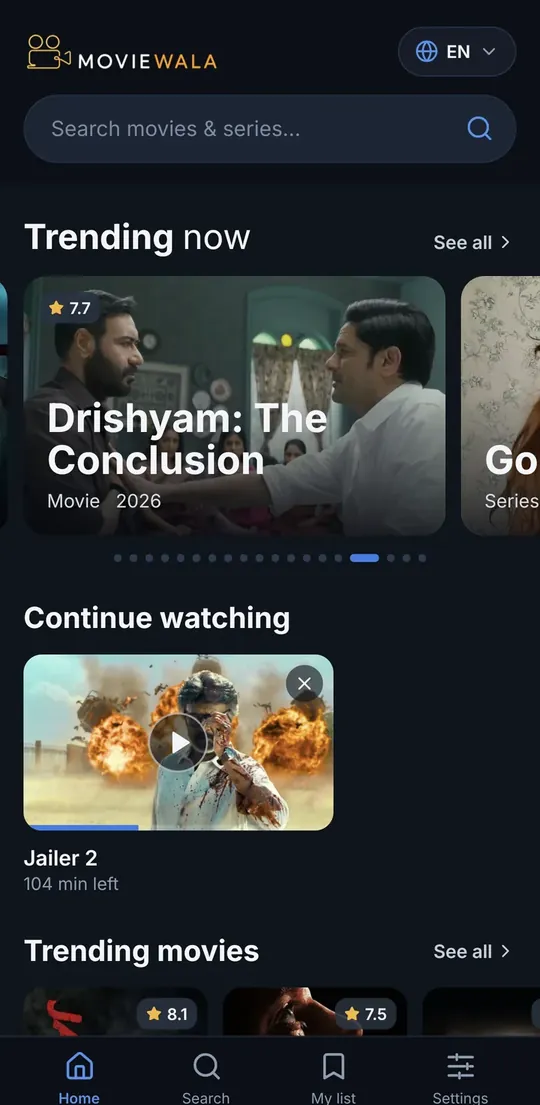
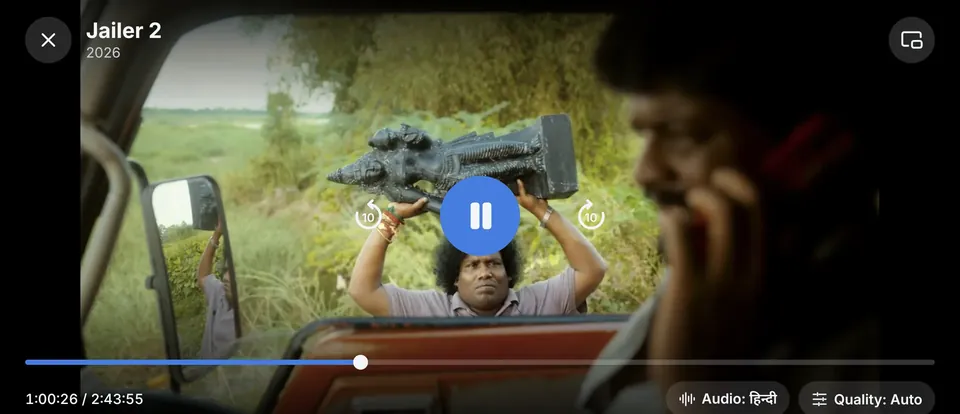
How to install the Moviewala APK
Android asks for one permission the first time you install an app from outside Google Play. After that it works like any other app.
-
Tap Install. If Chrome warns about the file type, tap “Download anyway”.
-
Open the file. Swipe down from the top of the screen and tap the downloaded file. Tap “Settings” and turn on “Allow from this source”.
-
Go back and tap Install. When it finishes, tap “Open”.
If Google Play Protect shows a dialog, let it scan the app or choose “Install anyway”. Updates arrive inside the app.
- Xiaomi · Redmi · Realme · Oppo · VivoThe phone shows its own “Risk detected” or “Safe installation” screen. Wait for the timer, tap “Install anyway” or “Continue”, and enter your lock-screen PIN if asked.
- Other browsersIf the download does not start, tap ⋮ and choose “Open in Chrome”. In other browsers the warning text differs: just confirm the download.
Moviewala app features
Your language
The whole app in Hindi, Bengali or English, and the audio track you choose. Subtitles when the title has them.
Continue watching
Stopped halfway? The episode waits for you on the home screen. Save titles to My list with one tap.
Picture-in-picture
Keep watching in a small window while you answer a message. Quality: Auto or fixed, to save data.
Don’t want to install anything? Watch in the Telegram bot.
Type the movie name, tap Watch, and it plays inside Telegram. Same catalogue, same languages.
Open @ultrashow_bot and type the movie or series name.
Tap ▶ Watch on the result. It plays in HD, in Hindi, Bengali or English.
In any chat: type
@ultrashow_botand the title to share it with friends.
If the bot ever stops answering, the pinned post in the channel has the current address.